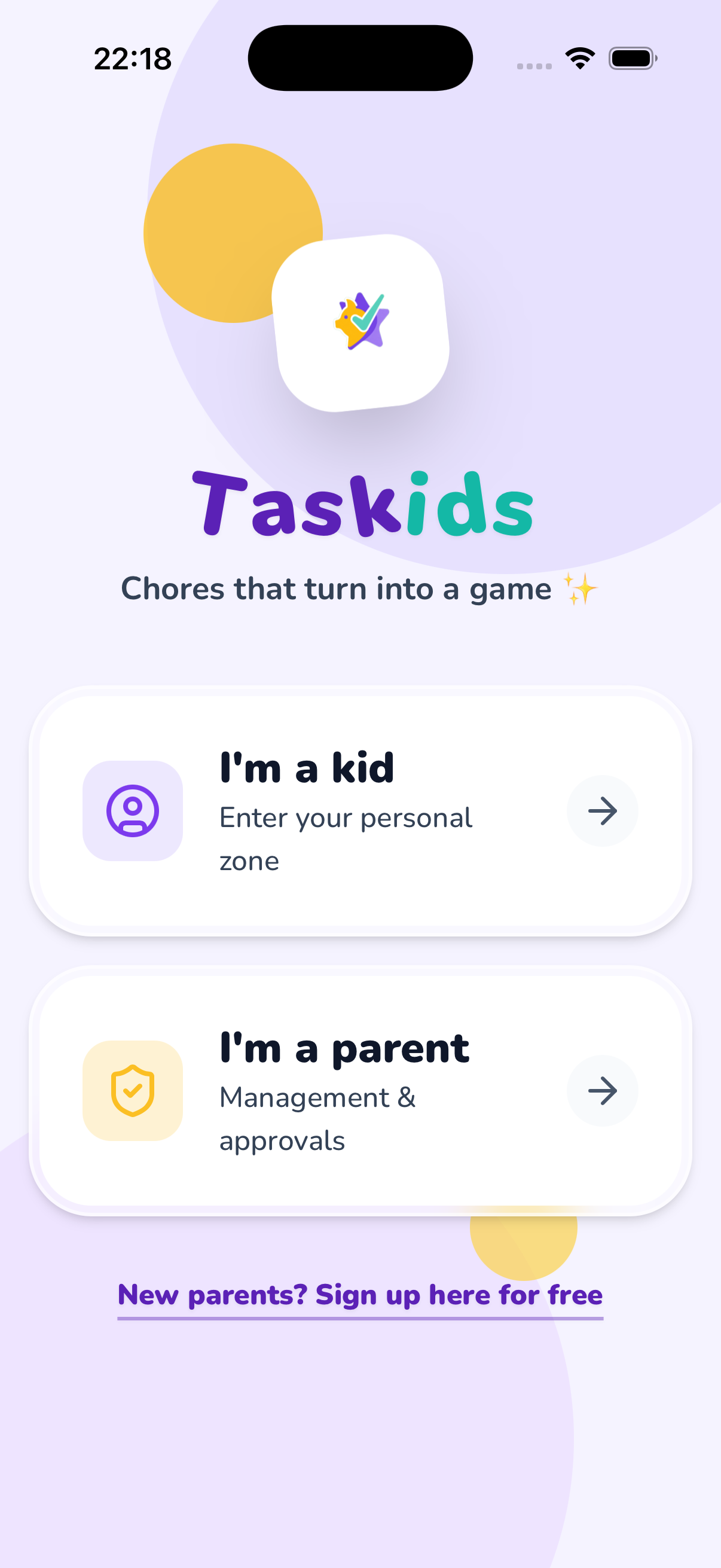
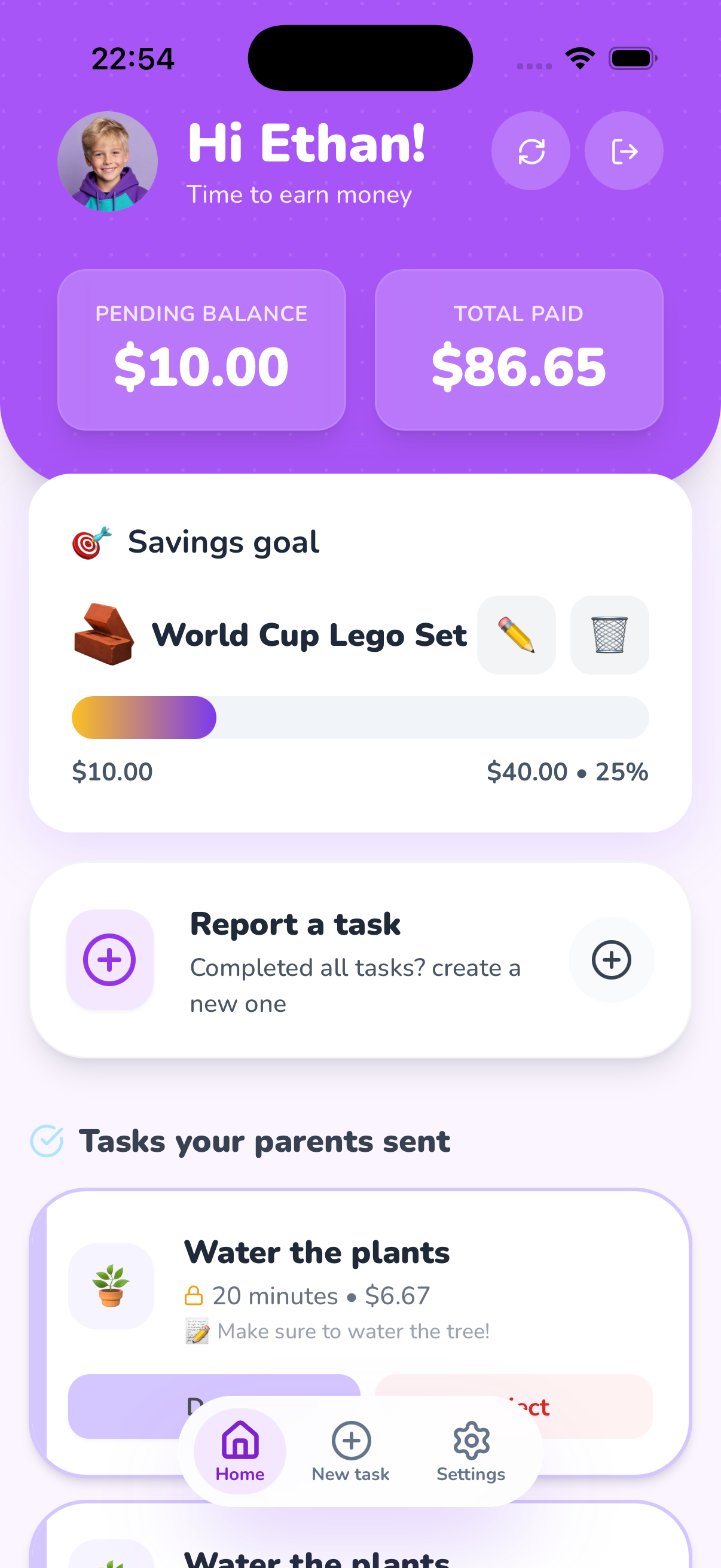
Taskids also works in any browser no download needed: app.taskids.net 🌐
+2k
happy families joined this month!
Why Does Everyone Love
Taskids?
Playful Task Management
Household chores become a
fun game! Kids complete predefined tasks, track their progress, and feel a sense of achievement
every time they finish a challenge.
Smart Financial
Education
The best way to learn
about money is by doing. Kids earn allowance based on their work, understand the value of
effort, and learn to manage a personal budget.
Peace of Mind for
Parents
A complete control panel
that gives you full authority. You set tasks and rewards, approve completion with a simple
click, and keep track of payments - without arguments.
Full Transparency &
Reports
Precise tracking of every
chore and every penny. Kids and parents see the exact same data in real time, which builds trust
and encourages child independence and responsibility.
Savings Goals
Kids pick a big goal and
watch the progress bar fill with every chore. When they reach it, a confetti celebration awaits.
The Reward Store
You create rewards with a
price and an icon, kids buy them with what they earned, and you fulfill or refund. They only get
what you approve.
Money or Points, You
Choose
Real cash or a fun points
system, kids collect stars ⭐ and gems 💎 and redeem them for rewards.
Solo or Tag-Team
Start solo, and when you
want backup, invite a co-parent with a single link. Chores, approvals, and rewards are managed
together, everyone always in sync.
Frequently
Asked Questions
Do children need an email address to use Taskids?
No. Parents create a username and
password
for each child, so children do not need their own email address. An email address is only
required
for parent accounts.
Can we use non-monetary incentives?
Absolutely. You can use stars or points
instead of money and create a custom reward store with rewards such as screen time, choosing a
movie, ice cream, or a family activity.
Can a child report more time than was set for a task?
That is up to the parents. You can lock a
task’s time so children cannot report more than the assigned duration. Without the lock,
children
can report up to twice the assigned time, and every report waits for parent approval.
Can we disable the option for children to create their own tasks?
Yes. You can choose to let only parents
create and send new tasks. Children can still complete the tasks assigned to them and submit
them
for approval.
Can two parents manage tasks together?
Yes. Invite another parent by email to
join
your family. Both parents can see the children, manage tasks and rewards, and approve reports
together.
What happens when a child completes a task?
The child submits it for approval. A
parent
can approve or reject it, and approved tasks add money, stars, or points to the child’s balance.
Can I manage more than one child in the same family?
Yes. Each child has their own account,
tasks,
balance, and progress.
Which devices support Taskids?
Taskids works in the browser, on iPhone,
and
on Android devices, so every family member can use the device that suits them.
Does Taskids transfer money to children automatically?
No. Taskids helps families track tasks,
balances, and rewards. Parents decide when and how to give the money or fulfil a reward.
Is Taskids free?
Yes. You can start using Taskids for
free.
Can I track past tasks and payments?
Yes. Parents can view a history of tasks,
approvals, payments, and reward redemptions, making it easy to follow each child’s progress.
⭐
🧸
★★★★★
"Finally, the app that got my kids to clean their room without me asking ten times.
It's
simply genius!"
Michal Avrahami
Mom of 3, Tel Aviv
★★★★★
"My 8-year-old daughter learned to save up for new headphones within a month. The
best financial lesson she's ever had."
Yoni Cohen
Proud Dad, Herzliya
★★★★★
"The app is colorful and fun. The kids actually look forward to getting chores to earn
points. It
completely changed the vibe at home."
Sarah Levi
Mom of 2, Ramat Gan
★★★★★
"The peace of mind it gives me is worth everything. I know exactly how much allowance to
give and for what. Simple,
smart, and to the point."
David Golan
Dad of 4, Haifa
★★★★★
"Finally, an app that actually does the job! No annoying ads, no needless complexity,
simple, friendly, and easy to use. Our whole family is on it, and the
kids are simply loving it."
Omer Shapira
Dad of 2, Jerusalem
Last updated: February 2026
The Taskids application ("the App") is developed and operated by an independent developer ("the Developer")
as a free service. This policy outlines what information the App collects and how it is stored.
1. Information Collected by the App
Information is collected solely for the operation of the App:
Parent Details: Full name and email address (used for login and password recovery).
Child Profiles: Name or nickname, username (if defined), password, allowance settings,
and profile picture (if uploaded by you).
Activity: Task data (task name, icon, duration), completion status, and history of
approvals and rejections.
Technical data: Anonymous analytics may be collected on our public marketing pages, with your consent, to improve those pages and identify issues. The Taskids app does not currently use Google Analytics.
What we do NOT collect:
The App does not collect credit card details, bank account info, or GPS location. Financial management in the
App is strictly "virtual" and is intended for manual record-keeping.
2. Where Information is Stored
Information is stored on secure servers. The Developer makes reasonable efforts to secure your data, but as a
free service, there is no guarantee of security at a commercial financial institution level.
3. Use of Information
Information is used solely for your shared family experience. Data is never sold to third parties.
4. Account Deletion
You can request complete deletion of your account and all associated data at any time through the App
settings or by sending an email to the address below.
Welcome to Taskids. The App was developed as an independent and free-to-use project for parents and kids. Use
of the App is subject to the following terms:
1. Nature of Service ("As-Is")
The App is provided for use as-is. The Developer does not guarantee continuous availability, absence of bugs,
or data backups. Use of the App is solely at the user's risk.
2. Parental Responsibility
The App is designed for families. The parent is fully responsible for:
Creating accounts for their children and setting their passwords.
Content uploaded to the App (names, pictures, etc.).
Safeguarding login credentials for all family members.
3. Limitation of Liability
As the service is provided free of charge, the Developer shall not be liable for any direct or indirect
damages resulting from the use of the App, including data loss, downtime, or distress.
4. Intellectual Property
The code and design of Taskids are the product of independent development and are protected by copyright. Use
of the App is strictly personal and non-commercial.
5. Modifications
The Developer may modify, update, or discontinue the service at any time without prior notice.
PLEASE READ THIS END USER LICENSE AGREEMENT ("AGREEMENT") CAREFULLY BEFORE USING THE TASKIDS APPLICATION.
By downloading, installing, or using the Taskids application ("App"), you agree to be bound by the terms and
conditions of this Agreement.
1. LICENSE GRANT
Subject to the terms of this Agreement, the Developer grants you a limited, non-exclusive, non-transferable,
revocable license to download, install, and use the App on mobile devices that you own or control, solely
for your personal, non-commercial family use.
2. LICENSE RESTRICTIONS
You agree not to:
Copy, modify, or distribute the App or any portion thereof
Reverse engineer, decompile, or disassemble the App
Rent, lease, lend, sell, or sublicense the App
Use the App for any unlawful purpose or in violation of any applicable laws
Remove, alter, or obscure any proprietary notices on the App
3. OWNERSHIP
The App and all copies thereof are proprietary to the Developer and title thereto remains exclusively with
the Developer. All rights in the App not specifically granted in this Agreement are reserved to the
Developer. The App is protected by Israeli and international copyright laws.
4. USER CONTENT
You retain ownership of any content you submit through the App (such as child profiles, task names, and
photos). By using the App, you grant the Developer a limited license to store and process this content
solely for the purpose of providing the App's services.
5. DISCLAIMER OF WARRANTIES
The App is provided "as is" without warranty of any kind, express or implied. The Developer does not warrant
that the App will meet your requirements, or be uninterrupted, timely, secure, or error-free.
6. CHILDREN'S USE
The App is designed for family use. Parents are responsible for creating and managing accounts for their
children, supervising their use, and all content uploaded on their behalf.
7. UPDATES AND TERMINATION
The Developer may update the App from time to time. The Developer reserves the right to modify, suspend, or
discontinue the App at any time. Your rights will terminate automatically if you fail to comply with any
terms.
8. GOVERNING LAW
This Agreement shall be governed by and construed in accordance with the laws of the State of Israel.
📄 To download the full text of the agreement
(including Hebrew version): Click Here
Last updated: February 2026
We at Taskids consider it of paramount importance to make our website and application accessible to the
entire population, including people with disabilities. We operate in accordance with the provisions of the
Equal Rights for Persons with Disabilities Law, 1998, and its regulations.
Accessibility Level
This website strives to comply with the requirements of the Equal Rights for Persons with Disabilities
Regulations (Accessibility Adjustments for Service), 2013. The accessibility adjustments are made in
accordance with the recommendations of the Israeli Standard (IS 5568) for web content accessibility at level
AA, and the international WCAG 2.1 document, subject to the limitations specified in this statement.
Adjustments Implemented on the Website
The website is responsive and optimized for viewing and usage on mobile devices.
An accessibility menu has been installed, allowing control over font size, color contrast, link
highlighting, and stopping animations.
Images on the website include alternative text descriptions (Alt Text).
The website supports full keyboard navigation.
Semantic headings and HTML5 tags are properly used for screen readers.
Contact Us Regarding Accessibility
We continue our efforts to improve site accessibility as part of our commitment to enable its use for the
entire population, including people with disabilities. If you encounter a problem or have a suggestion for
improvement, we would love to hear from you:
Response Time: Sunday-Thursday, 09:00-17:00 (Israel Time), initial response within up to 7
business days.
Reporting Process: Please describe the issue, attach a screenshot, specify the page and
browser, and we will check and address it in accordance with the timelines set by law.
Test Environments & Compatibility
Keyboard and navigation tests: Chrome, Safari, Firefox in supported versions.
Display tests: Desktop and Mobile at various resolutions.
Assistive tech: Manual testing with screen readers where available.
Known Limitations
As of the date of update of this statement, there are no known significant accessibility limitations that
have not been documented. If you encounter a component that is not accessible, please report it to us so we
can correct it as soon as possible.
Last updated: February 2026
Taskids allows parents to delete their account and all associated data directly from within the application,
without needing to contact the developer.
How to delete your account?
You can delete your account easily through the settings screen in the App. Follow these steps:
Step 1: Go to Settings
Open the app, and tap on the "Settings" tab (⚙️) in the bottom menu. Scroll down until you
see the "Danger Zone" and tap on the button "Delete my Account & Family".
Step 2: Confirm Deletion
After tapping, a confirmation modal will appear detailing all the actions that will be performed. Read
carefully and tap "Confirm Final Deletion" if you are sure.
What happens when you delete?
Account deletion is irreversible. After confirmation:
All child data will be permanently deleted.
All task history will be deleted.
Your account will be closed and cannot be recovered.
If there are other parents in the family, they will be affected.
Alternative Route
In case you do not have access to the app, you can also request account deletion by sending an email to: contact@taskids.net
🍪
Protecting Your
Experience
We use cookies to understand how to improve Taskids for you. You choose what to accept.